Verde Demo Guide
What the free demo teaches — and where new players usually stall.
The Verde demo is still one of the best ways to learn Dewdrop Valley even after the August 12, 2026 Steam launch. It packages the cozy fantasy — Seedlets, water magic, decoration, and a first biome transition — into a session long enough to feel like a real town. This guide explains what the demo covers, how to play it efficiently without speedrunning the joy away, and which habits transfer cleanly into the full game.
Watch the embedded demo gameplay video in the middle of this page for a full live session, then use the written sections as a checklist. Pair this with Getting Started and How to Play if you want slower written teaching.
What the demo includes
Expect a story-framed introduction, the first garden region, housing and utility unlocks, decoration variety, land expansion, and eventually a tropical beach-style region with cooling needs. Official materials describe an early demo slice around half an hour; Next Fest updates later polished multi-select building tools, quest clarity, tutorial pacing, and night-time coziness. Your session length can grow far beyond thirty minutes if you decorate carefully.
Blueprints commonly appear in this order during a thorough demo run: small house, water distributor, market, flower shop, fountain, land expansion, cafes, benches, medium houses, parks, playgrounds, specialty shops, then region unlock tools such as misting fans and beach-only buildings like ice cream stands.
Recommended demo route
- Learn camera pans, zoom, and middle-click rotation.
- Place two or three small houses and clear nearby rocks.
- Build a water distributor that covers the whole starter cluster.
- Add market, flower shop, and fountain; verify the heat map.
- Decorate with bushes, lamps, and paths until happiness quests clear.
- Buy land only when services are stable; extend water before new homes.
- Unlock cafes, benches, and medium houses as quests reward them.
- When the tropical region becomes available, read the cooling rules before spamming beach houses.
Detailed region advice is on How to Unlock Regions. Building order ideas are on Early Buildings Priority.
Demo economy lessons
Leaves feel abundant after the first quest payout and scarce after impulsive land shopping. The demo teaches a healthy rhythm: happiness first, population second, border tiles third. Service buildings have coverage radius and capacity. A market that visually overlaps a house can still under-serve that house if capacity is exhausted by closer neighbors. When nutrition stays red, place another market instead of more empty homes.
Decoration is not optional fluff in Verde. Early quests literally ask for decoration point thresholds. Paths, lamps, wells, flower beds, scarecrows, and trees are progress tools as well as style tools.
Beach biome surprises in the demo
The tropical expansion is the demo’s difficulty spike — a gentle spike, but still a spike. Beach parcels can require misting fans so homes and shops stay comfortable. Some beach-special buildings sit happily on shoreline tiles, while ordinary structures need both water and cooling. If a ghost building shows a blocked icon, check environmental needs before assuming you are out of space.
Customization practice
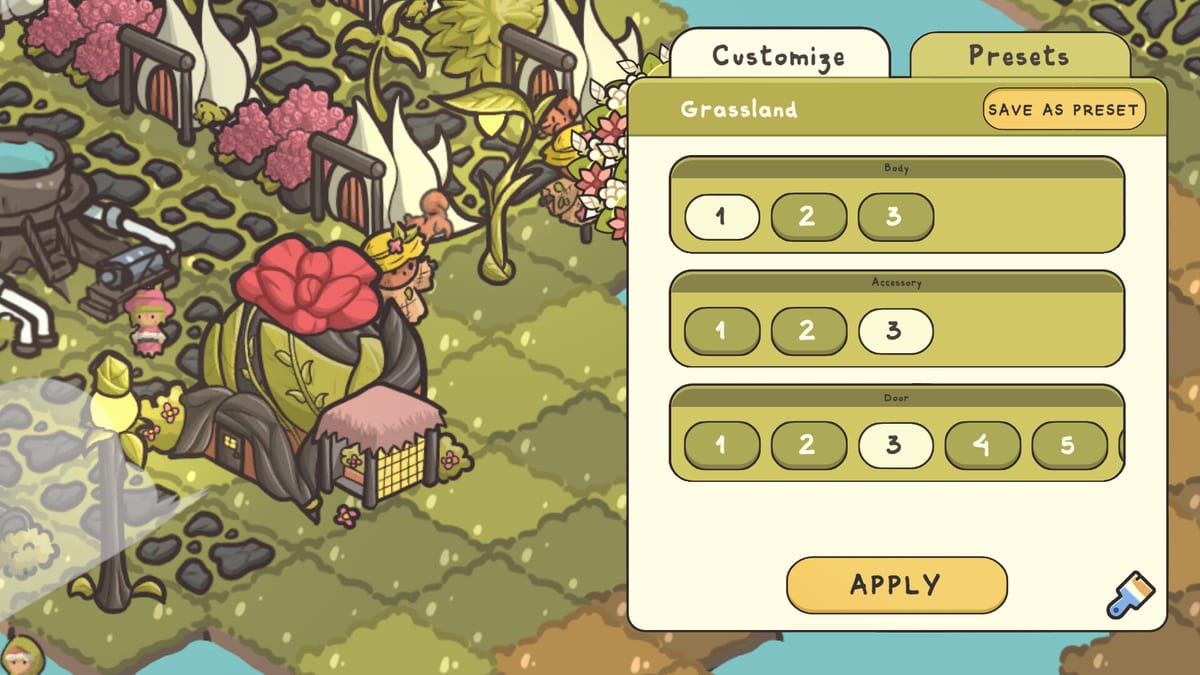
Use the demo to test paintbrush parts and colorways on houses, fountains, parks, and shops. Alternate looks prevent visual fatigue when the town densifies. Save presets for your favorite cottage style so new houses match the street. More tips live in Building Customization.
Demo limitations versus full release
The demo locks some cosmetic options and only samples the wider region set. The full release adds the complete campaign, sandbox freedom, more biomes, and broader building kits. Treat demo knowledge as systems literacy, not a complete spoiler map of every late unlock. For store timing see Release Date; for patch-oriented notes see Demo Notes.
Common demo softlocks
- Buying beach land before you understand cooling.
- Spending Leaves on bridges and edges while cafes are still locked and happiness is red.
- Ignoring the pinned quest list after multiple side objectives appear.
- Forgetting to claim mailbox rewards that contain the next blueprint.
- Expecting controller support that the build may not provide yet.
After the demo
Wishlist the Steam page, confirm your PC meets the System Requirements, and skim the Pre-launch Checklist. When the full game unlocks, reuse your demo habits inside the Campaign Walkthrough or jump into Sandbox Mode for pure decoration play.
Frequently Asked Questions
Quick answers to the most common questions.
Is the Verde demo free?
Yes. It is available on the Steam store page for Verde before and around launch marketing periods.
Does demo progress carry over?
Treat the demo as a separate learning save unless the developer later announces transfer support.
How long can a demo session last?
Official notes cite a first-region slice, but decorating and beach unlocks can extend play well beyond a short trial.
Should I watch a video or read first?
Either works. The embedded video shows pacing; this article captures the durable checklists.