Verde Buildings Overview
A plain-language map of the Verde build menu.
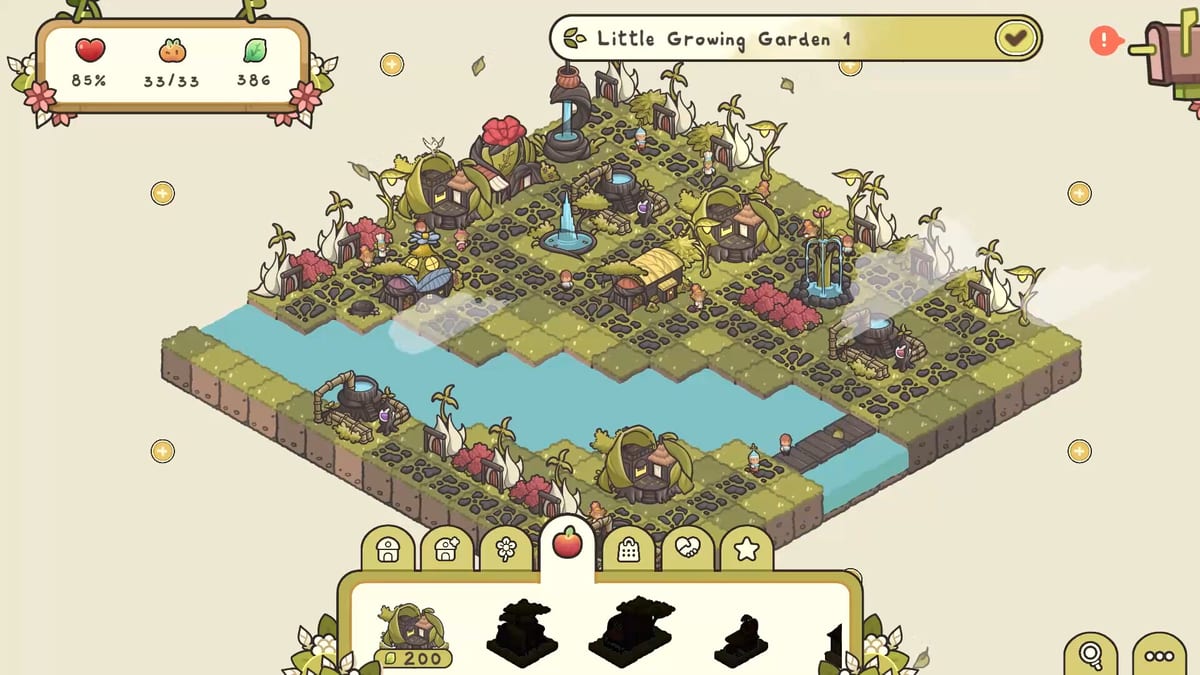
Verde’s build menu groups structures by function. Learning the categories prevents the common mistake of buying three decorations while nutrition is still red. This overview explains each group and points to deeper guides.
Priorities: Early Buildings, Biome Buildings, Decorations.
Housing
Small and medium homes for Seedlets. Housing raises population caps and quest progress. Always support new homes with utilities and services. Customization options are richest here — see Building Customization.
Utility
Water distributors and environmental tools such as misting fans. Utilities rarely win beauty contests, but they unlock everything else. Place them with radius and capacity in mind.
Nutrition
Markets, cafes, restaurants, and related food services. Watch both radius and how many houses each building can support.
Goods
Flower shops and specialty stores that satisfy shopping-style demands. Beach biomes may add shoreline goods such as ice cream stands.
Social
Fountains, parks, playgrounds, benches, and other gathering spaces. Large footprints need reserved plazas.
Decoration
Paths, lamps, bushes, trees, wells, scarecrows, statues, flower beds, and more. Essential for appeal quests and visual storytelling.
Special
Blueprints that do not fit neatly elsewhere, including some story rewards and unique landmarks. Check the house panel and quest text when a special unlock appears.
Reading building ghosts
Blocked icons usually mean terrain mismatch or missing environmental needs. Supply numbers communicate remaining capacity. Rotation with middle-click helps tidy footprints on awkward shorelines.
Recommended study order
- Housing + Utility
- Nutrition + Goods + Social
- Decorations
- Biome specials
Then apply the knowledge inside How to Play sessions and Sandbox Mode experiments.
Buildings are verbs in Verde. Categories tell you which verb the town is missing.
Menu literacy drills
Open each category once without spending Leaves and name a building you would place if happiness were red, if decoration were red, and if a beach ghost were blocked. That two-minute drill prevents panic scrolling during quest timers that are not even real timers — Verde just feels urgent when you are confused.
Reading the menu without painting yourself into a corner
Open Housing when a quest asks for residents, Utility when dirt stays brown or a beach house overheats, Nutrition and Goods when those heat-map layers stay red, Social when parks and benches are the missing percent, and Decoration when appeal quests stall despite full markets. Special blueprints are story or biome gifts — place them when the mailbox pays, not because the icon looks rare.
Capacity numbers matter more than pretty roofs. A market that already serves too many homes will leave a far cul-de-sac red even if the radius graphic looks generous. Duplicate the service instead of stretching one shop across a bridge. When a ghost shows a blocked stamp, believe the climate rule: sand wants fans, snow wants winter comfort, garden dirt still wants water first. Pair this encyclopedia with Early Buildings Priority while the first district is small, then Biome Buildings the moment tropic or snow parcels appear. Custom looks live in Building Customization; they never replace a missing distributor.
Special collector trophies still need the right climate kit on the ground, not just a painted roof. If a ghost stamps blocked, change the biome tool, not the color channel.
Keep the Special tab for mailbox gifts, not for panic shopping.
Frequently Asked Questions
Quick answers to the most common questions.
Where do water distributors live in the menu?
Under Utility in typical demo and early campaign layouts.
Are parks nutrition buildings?
No. Parks are social/landmark spaces; markets and cafes cover nutrition.
Why can’t I place a shop on the beach?
Check cooling needs and whether the building wants shoreline tiles.
Do all buildings customize?
Many do. Try the paintbrush even on non-housing landmarks.