Verde Wiki Hub
Official destinations, overview reading, and a launch-week snapshot.
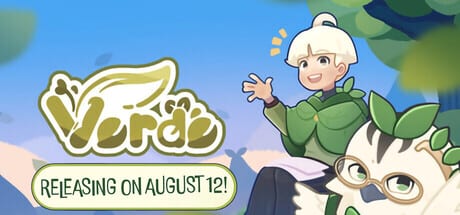
This hub connects outbound official destinations with inbound wiki overviews. Visit Official Links for the Steam store (app 3164310), Antimeta Studio, and Assemble Entertainment. Read the Game Overview for the pitch you can send a friend. Read First Impressions for a launch-week snapshot: price band, review sample, three biomes, and who should wait.
From here branch into Guides Hub for tutorials, Updates Hub for patch 1.0.2, or Tools Hub for specs and achievements.
Sharing the wiki kindly
When you send someone verde.wiki, point them to Game Overview first, Official Links second, and Getting Started third. That order respects curiosity, safety, and play. Dumping a raw build-priority link at a brand-new cozy fan can feel loud for a game about quiet gardens. If they are on the fence, First Impressions is the honest “is this a $10 evening?” page.
What this wiki is not
It is not official. It is not a Roblox codes dump. It is not a live Steam review score. User reviews move; we describe the store’s Positive launch-week sample and tell you to recheck Steam. We will not invent YouTube videos or extra biomes. Garden, beach, and snow are the three climates confirmed after launch.
How we use official news
Release timing, the out-now post, and 1.0.2 bullets come from Steam news and the store widget. Bundles (Gourdlets, Growth, Beacon Patrol, and others) change; always open Steam. Languages on the store include Indonesian and Simplified Chinese that this wiki does not cover.
Suggested paths
- New buyer: Official Links → System Requirements → Getting Started.
- Trophy hunter: Achievements → Questlines → Biomes Overview.
- Bug hunter: Patch Notes → Troubleshooting.
Keep this hub small on purpose. The PC dropdown already has several wiki children; extra legal-style essays would hide the Steam link. Legal pages stay at /terms/, /privacy/, and /cookies/ in English only.
Verde’s storybook town deserves a calm front door. This hub is that door.
Keep the front door small
Official Links, Game Overview, and First Impressions are enough children for a wiki hub. Guides, updates, and tools already own tutorials, patches, and trophies. Legal essays stay on English /terms/, /privacy/, and /cookies/ with no ads. If you are tempted to add a fourth wiki essay, ask whether it is actually a guide.
Frequently Asked Questions
Quick answers to the most common questions.
Is this wiki official?
No. It is a fan-made resource and is not affiliated with Antimeta Studio or Assemble Entertainment.
Where do I buy Verde?
On Steam — follow the Official Links page.
Where should friends start?
Send them the Game Overview, then Getting Started, or First Impressions if they have not bought yet.